rm -r $WORKSPACE_DIR/.metadata/.plugins/org.eclipse.core.runtime/.settings/
And re-launch the eclipse.
rm -r $WORKSPACE_DIR/.metadata/.plugins/org.eclipse.core.runtime/.settings/
And re-launch the eclipse.

Please use Eclipse update manager to install this plugin.Eclipse 3.3 - 3.4:Go to "Help -> Software Updates -> Find and Install... -> Search for new features to install -> Next -> New Remote Site..."Eclipse 3.5:Go to "Help -> Install new Software... -> Work with:"and use the http://andrei.gmxhome.de/eclipse/ as url.
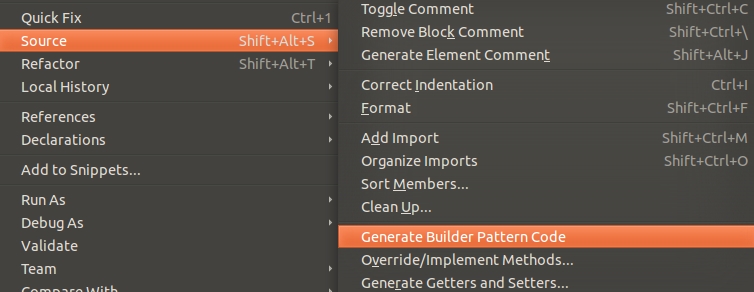
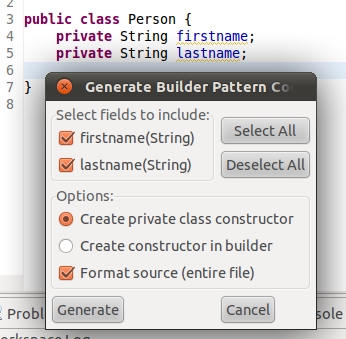
Run/Debug
 Settings->Edit the launch configuration you are using->Switch to
Classpath tab->Right Click User Entries->Add the Folder (or
External Folder) containing your properties file->Click Apply
. I am assuming you are referencing to a console application here.
Jabclipse (net.sf.jadclipse_x.x.x.jar)”http://sourceforge.net/projects/jadclipse/
Copy the downloaded Jad Eclipse plugin – Jabclipse(jadclipse_x.x.x.jar) to Eclipse plugin folder.
For example,
D:\eclipse\plugins\net.sf.jadclipse_3.3.0.jar

Restart Eclipse. Done. We can configure it even, windows->preferences -> jad